
Author: Huang Ao (Chongqing Lingjing Vision Culture Media Co., Ltd.)
As an immersive media creator, I have captured over two hundred immersive portraits over the past few years. Through this journey, I’ve become convinced of one thing: compared to landscapes or architecture, immersive technology is inherently "made" for people.
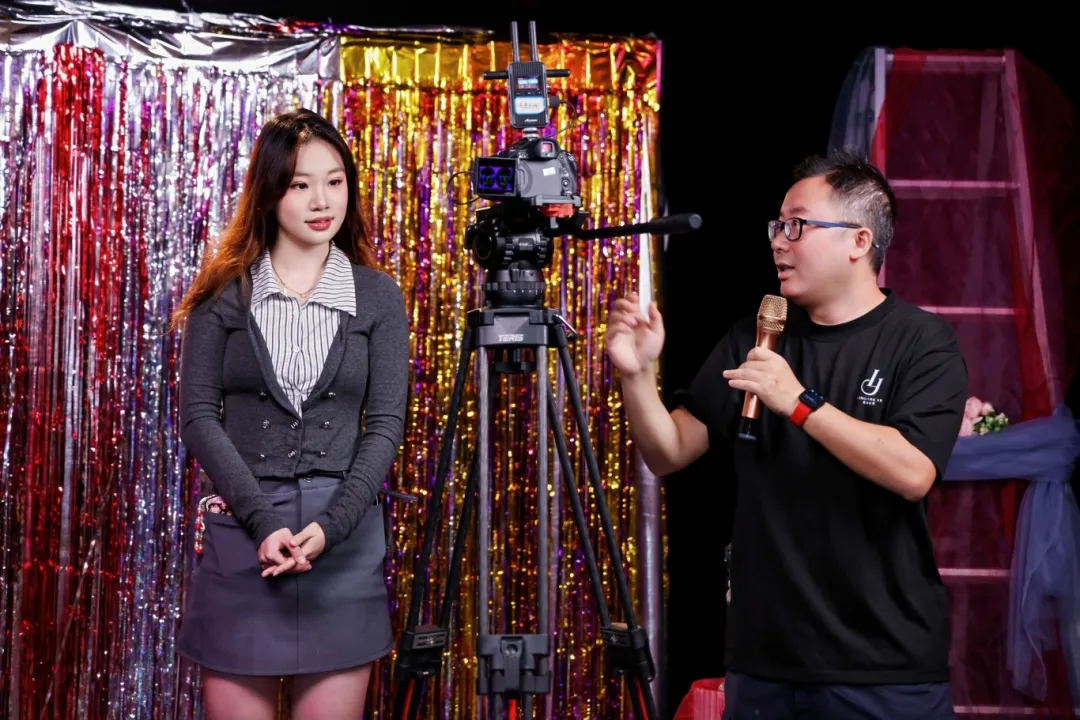
When you put on a headset, the subject is often just an arm’s length away. That proximity—the direct gaze, the breath, the silences, and the hesitations—conveys something traditional flat photography simply cannot. It feels less like viewing a screen and more like a "shared room" encounter.
However, because of the wraparound field of view, natural stereoscopic depth, and the "presence" brought by 3DOF/6DOF tracking, the creative logic of immersive portraiture differs fundamentally from the 2D portraits we are used to. If you follow 2D instincts, it’s easy to fail: the lighting might be perfect and the composition beautiful in a screenshot, but in a headset, it becomes awkward, nauseating, or simply unengaging.
After countless trials and errors, I’ve distilled my findings into 30 "Rules." These aren't technical manuals about shutter speeds or skin retouching; they are about the shift in creative logic: moving from "viewing a frame" to "being present," from "shaping form" to "shaping space," and from "visual aesthetics" to "synesthesia."
I. Presence and Relationship
From "Watching a Frame" to "Sharing a Room"
01. It’s a Meeting, Not a Photo. In 2D, the viewer is always outside the frame. In VR, the viewer is dropped into the space. You aren't just showing a face; you are arranging for the viewer to "sit across from" or "stand next to" someone.
02. Define the Relationship. Before shooting, ask: Who is the viewer in this story? A stranger, a friend, a patient, or a silent witness? The same line of dialogue feels entirely different depending on this definition. Define the role first; decide the distance second.
03. Context Dictates Power. Public spaces (bars, streets) lend a sense of "social power" to a character. Private spaces (bedrooms, elevators) amplify intimacy or vulnerability. In VR, the setting is not a background; it is the "personality" of the relationship.
04. Distance is Physiological. In 2D, a close-up is a compositional choice. In VR, it’s an invasion of personal space. Every step forward rewrites the relationship: is it trust, intimacy, or a threat?
05. Use Eye Contact Sparingly. When a character looks into the lens in a headset, the viewer hears "They are talking to ME." This is a powerful signal. Every direct gaze must have a motive—don't let "immersion" turn into "staring discomfort."
06. Respect Boundaries. Because the viewer is "inside" the scene, exposed poses or intense staring are more sensitive than in 2D. Don't seek cheap thrills by invading boundaries; build tension through trust.
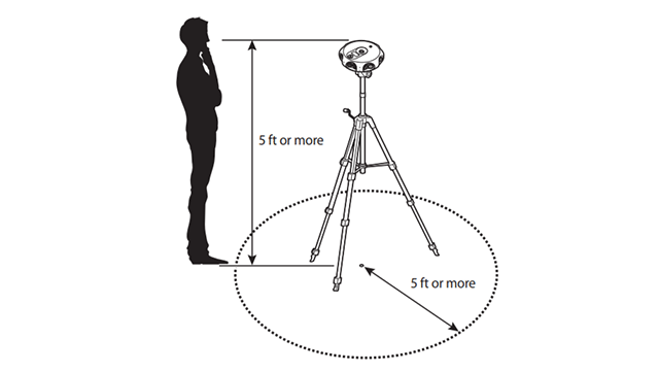
Distance Guide: Conversational (<1m) is intimate; Performance (2–3m) is narrative; Observational (>5m) is poetic/lonely.
II. Light and Space
From "Composition" to "Spatial Sculpting"
07. Let Parallax Handle Depth, Let Light Handle Emotion. In 2D, we use lighting to make faces look "3D." In VR, the 3D effect is native. Light’s job here is to give the space direction, layers, and "safe zones." Think like an architectural lighting designer, not a studio photographer.
08. Light the Space Before the Subject. Don't light a perfect face while leaving the room pitch black. Establish the ambient level of the walls, floor, and ceiling first. The subject should "grow" out of the space, not look like a cardboard cutout pasted onto it.
09. Think Like an Architect. Where does the window light fall? How does light leak through a door? Use visible light sources (lamps, signs) to serve the narrative. It’s more convincing than an invisible softbox behind the camera.
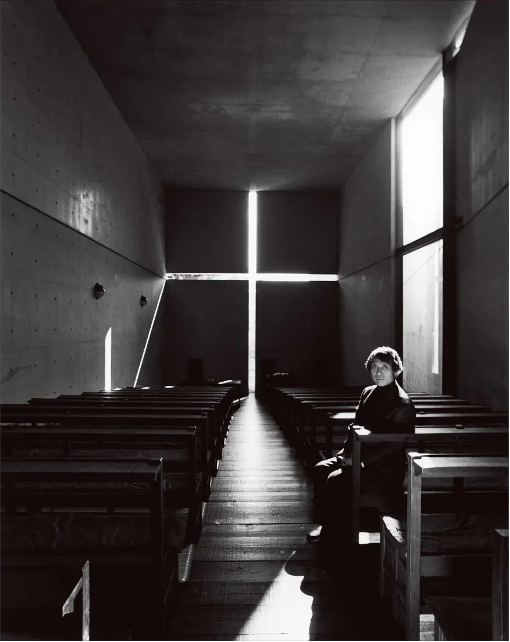
10. Comfort Over Contrast. While 2D portraits can handle crushed blacks, VR "dead shadows" feel physically oppressive. Keep information in the shadows and ensure highlights aren't blinding.
11. Use Volumetric Elements. Dust in a sunbeam, steam in a kitchen, or mist after rain makes a space "breathable." These elements don't just add depth; they trigger the viewer’s senses of temperature and humidity.
12. IPD (Interpupillary Distance) is Everything. The scale of your subject depends on the distance between the two lenses.
-
Too Small (<60mm): The subject looks like a 2-meter giant.
-
Too Large (>65mm): The subject looks like a toy or a dwarf. Consistency is the baseline, but you can manipulate IPD intentionally for psychological or surreal effects.
.webp)
III. Composition and Placement
From "Framing" to "Guiding"
13. You Are Mapping Coordinates, Not Cropping. You aren't choosing a rectangle; you are placing objects in a 3D coordinate system. Design for what the viewer sees when they turn around or look at their feet.
.webp)
14. Your Eyes Are the Real Monitor. Traditional monitors are 2D. Even with live VR previews, the director should stand next to the camera at the same height to feel the spatial pressure. "Does this position feel comfortable?"
15. Guide the First Glance. You can’t force a viewer to look at one spot, but you can use lighting, the subject’s gaze, and leading lines to ensure they "naturally" notice your focus first.
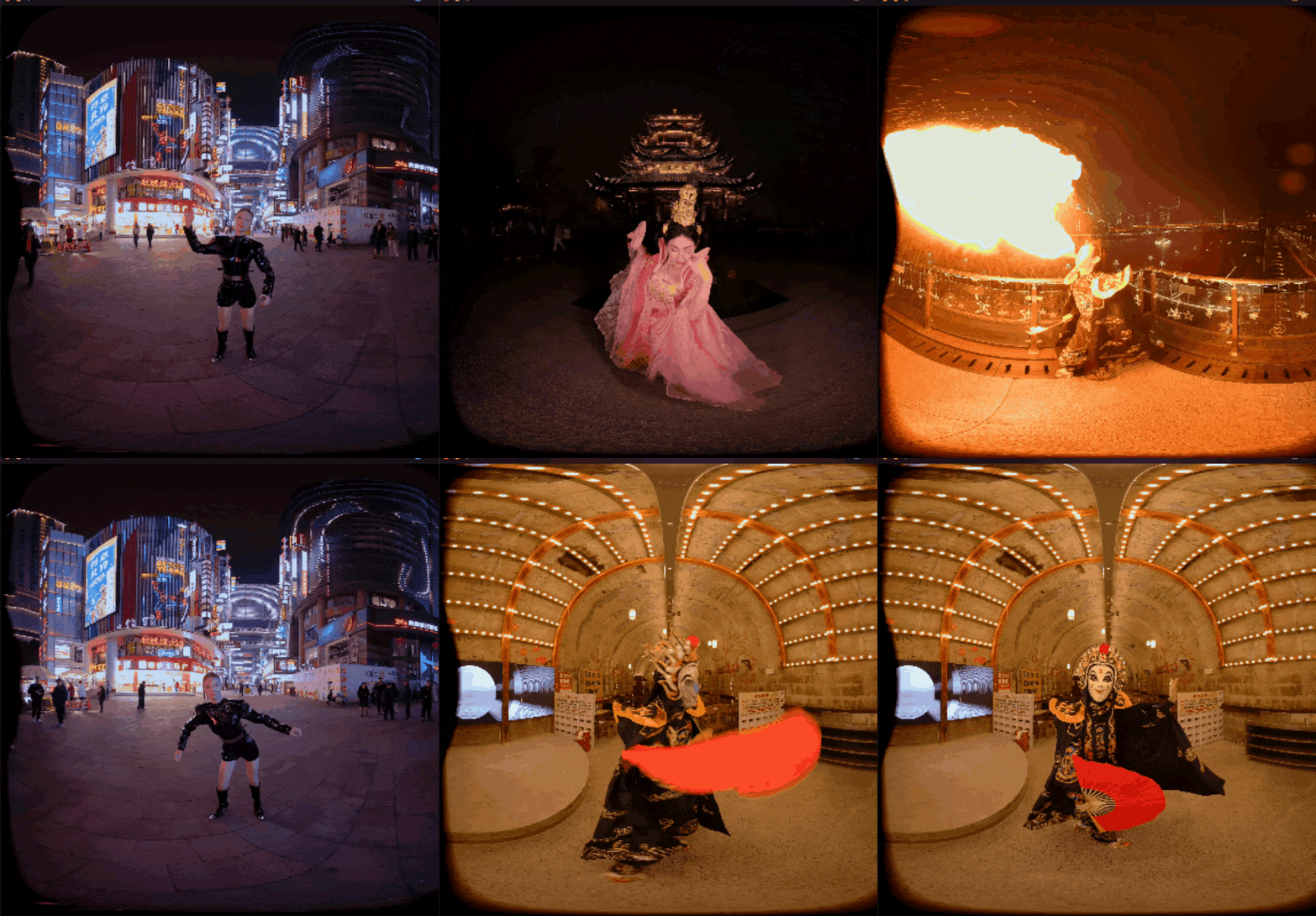
16. The "No-Leak" Rule. Viewers will wander. Every 45° angle, the ceiling, and the floor must be presentable. Avoid messy cables or "breaking the fourth wall" in any direction.
17. Match the Camera Height to the Viewing Posture.
-
Seated content: 1.1–1.3m.
-
Standing content: 1.65–1.75m. This ensures a natural horizon line for the viewer’s body.
18. The 30-Second Test. The ultimate standard for VR composition isn't a "pretty screenshot." It’s: "Would I be willing to stay in this room for another 30 seconds?"
IV. Synesthesia and Atmosphere
Igniting the Other Senses via Sight
19. Realism Over Stimulation. High resolution makes a picture "pop," but "credibility"—the feeling that the light and air are real—is what makes immersion work.
20. Capture the Micro-Movements. The slight rise of a chest, a swallow while speaking, the rustle of fabric. These details make the subject a "living person" rather than a high-res model.
21. Evoke Smells. A kitchen with steam or a field with wind-blown grass triggers "scent memories." The brain fills in the smell of oil or flowers without the need for scent hardware.
22. Move the Air. A static room feels like a render. Subtle movement—curtains swaying, shadows flickering—gives the viewer a sense of wind, temperature, and the flow of time.
23. Sound and Sight as One. In VR, audio is 50% of the synesthetic design. If the viewer sees wind in the grass, they must hear it in their ears.
24. Use Negative Space. If a scene is too cluttered, the viewer is too busy "looking" to "feel." Leave room for the viewer to project their own memories into the space.
V. Motion and the Body
The Camera is a Human Body
25. The Camera is the Viewer's Vestibular System. Moving the camera is dragging the viewer’s body. Respect human balance. Sudden stops or tilts are physical violations.
26. When in Doubt, Use a Tripod. Fixed shots are not boring. A stable camera allows the subject and light to shine. Most immersive portraits are best served by a rock-solid frame.
27. Match Movement Speeds. If the experience is meant to be seated, move at a "wheelchair" pace. If standing, move at a "walking" pace. You are simulating a body, not showing off a gimbal.
28. Avoid Lateral and Circular Motion. Forward/backward movement is easily understood by the brain as "walking." Sideways or spinning movements are the fastest way to trigger motion sickness.
29. Kill the Z-Axis Bounce. Vertical shaking is the most uncomfortable movement. Use stabilizers and a "ninja walk" to keep the Z-axis as smooth as possible.
30. The Headset is the Final Judge. Never judge a moving shot on a flat screen. If you feel even a slight headache after watching your own footage twice in a headset, your viewers will feel it tenfold. Prioritize comfort over "cool" shots.
Author: Huang Ao (Chongqing Lingjing Vision Culture Media Co., Ltd.)