
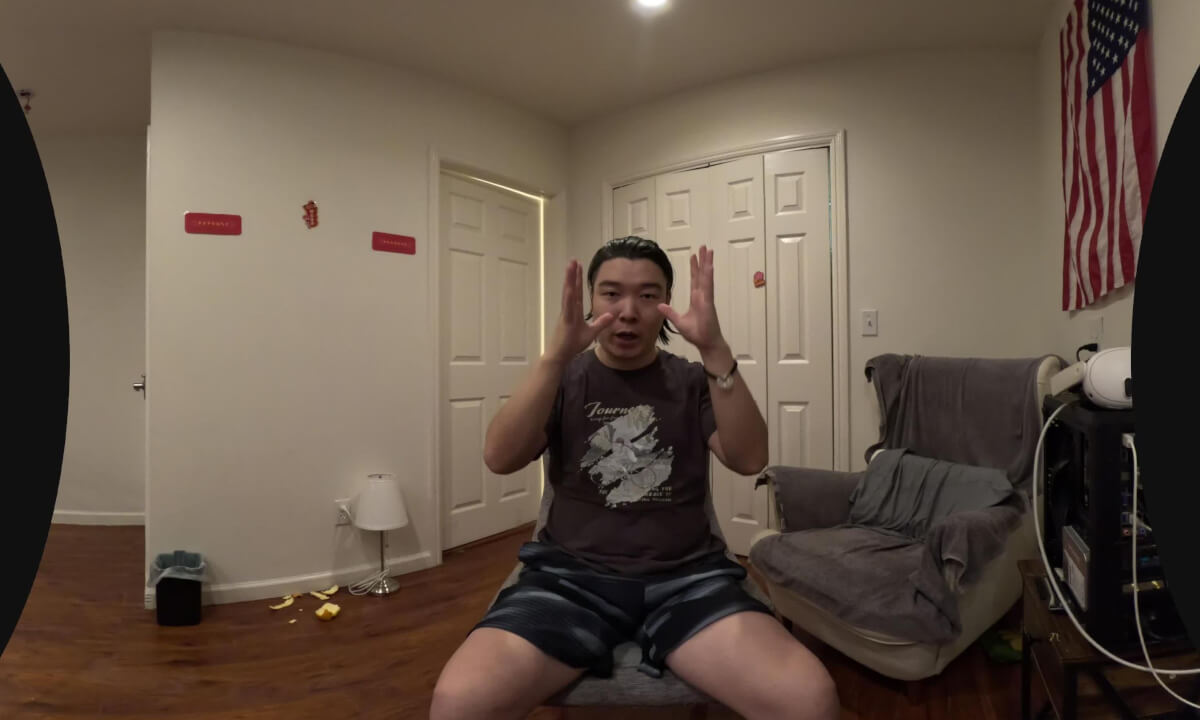
VR180 SyncPro如何解决在VR预览中做俯仰校准没有标尺的问题

https://store.steampowered.com/app/4646160/VR180_SyncPro/
复制链接或steam搜索 VR180 SyncPro
VR 预览里的俯仰校准准心,用途是帮助你判断左右眼画面的垂直高度是否一致,减少上下视差带来的眼疲劳。
使用方法:
按上/下箭头调节俯仰校准时,请盯住中心绿色准心,让左右眼中的同一处景物高度一致。
启动 VR 预览后,先按 F9 完成 VR 回正。
找到任何参照物。
按上/下箭头调节俯仰校准时,画面中心会出现绿色准心。
盯住中心准心,不要追着画面里的物体看。
观察同一处景物在左右眼里的上下位置差异。
目标不是让景物对到准心上,而是让同一处景物在左右眼中的高度一致。
准心距离用于选择观察深度。把准心放到要校准的景物距离附近,可以让该距离的物体在左右眼中分化成两个不完全重合的影像,方便比较上下高度差。
当参考物在左右眼中不再上下错位时,俯仰校准基本完成。
 25:12
25:12 13:19
13:19 02:29
02:29 27:20
27:20 04:50
04:50 06:11
06:11 03:41
03:41 46:08
46:08 01:47
01:47

![BREATHE | Born at 27 Weeks – An Immersive VR Documentary [EN]](https://cdn-vr.deovr.com/images/139801/85932_breathe-born-at-weeks-an-immersive-vr-documentary-en-cover-app.jpg)