
Did you know you can use DeoVR as a dedicated player that showcases only your own content?

With the built-in “Lock on DeoVR Channel” feature, users can lock the entire DeoVR browsing experience to a single creator or company channel — creating a clean, focused environment centered entirely around that content library.
Whether you’re a creator, studio, tourism project, educational organization, or immersive media partner, this feature makes it possible to transform DeoVR into your own curated VR content hub.
What is “Lock on DeoVR Channel”?
“Lock on DeoVR Channel” allows users to open any channel on DeoVR and lock the interface exclusively to that channel.
Once enabled:
- Only videos from the selected channel will appear
- Navigation and sorting stay within that content library
- Other channel recommendations are hidden
- DeoVR effectively becomes a dedicated player for that creator or brand
This creates a more controlled and immersive viewing experience for audiences who want to stay fully focused on one content ecosystem.
Why Use It?
Many creators and partners use DeoVR not just as a discovery platform, but also as a professional immersive video player for showcasing their own content collections.
This can be useful for:
- Creator portfolios
- Immersive exhibitions
- Tourism showcases
- Educational libraries
- Branded VR experiences
- Demo environments
- Public installations
- Company presentations
Instead of navigating through the broader platform, viewers remain inside your own immersive environment.
How to Enable It
Step 1 — Open the DeoVR App
Launch DeoVR on your headset.
Step 2 — Open Your Channel
Navigate to the creator or company channel you want to showcase.
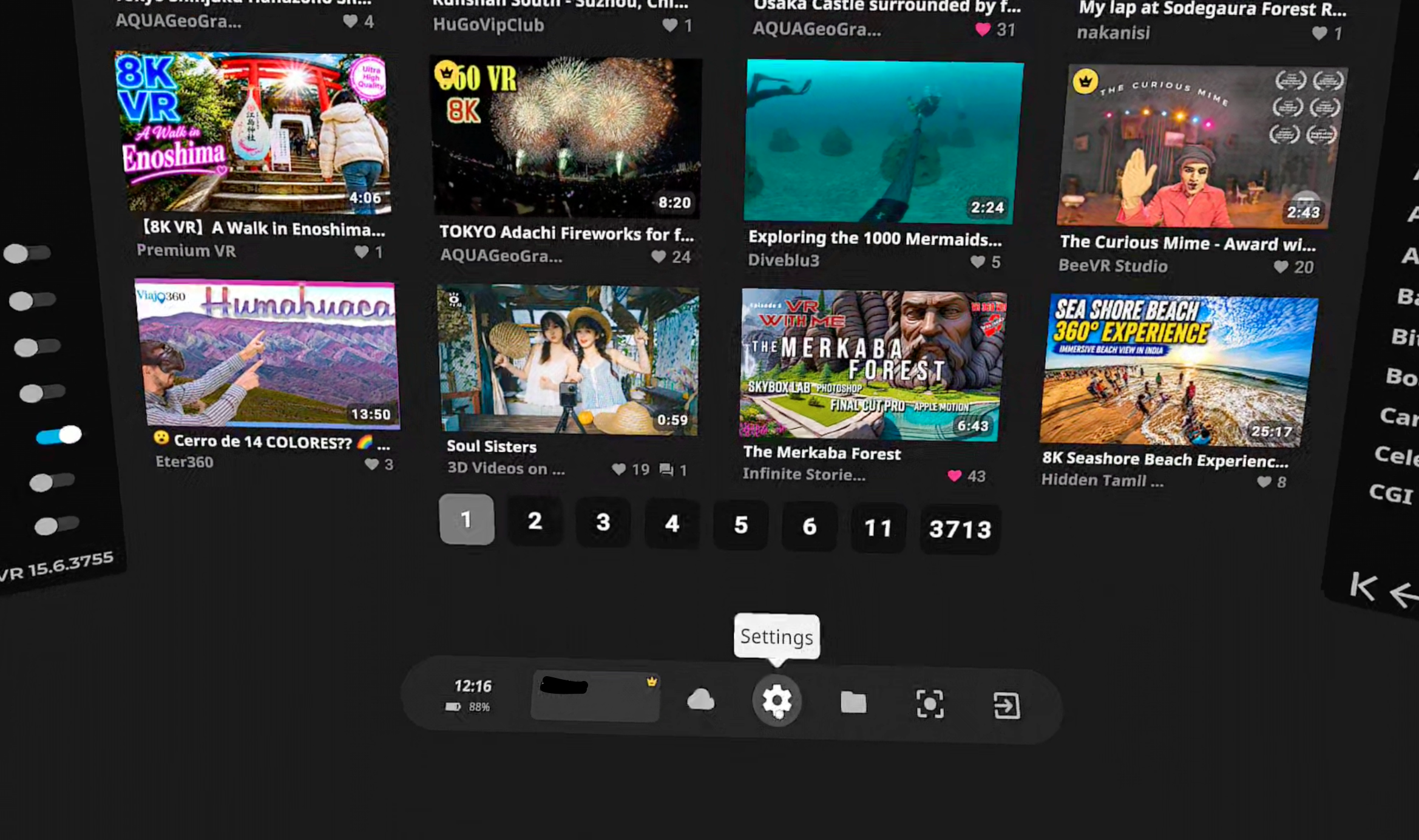
Step 3 — Open Settings
Go to: Settings → Developer
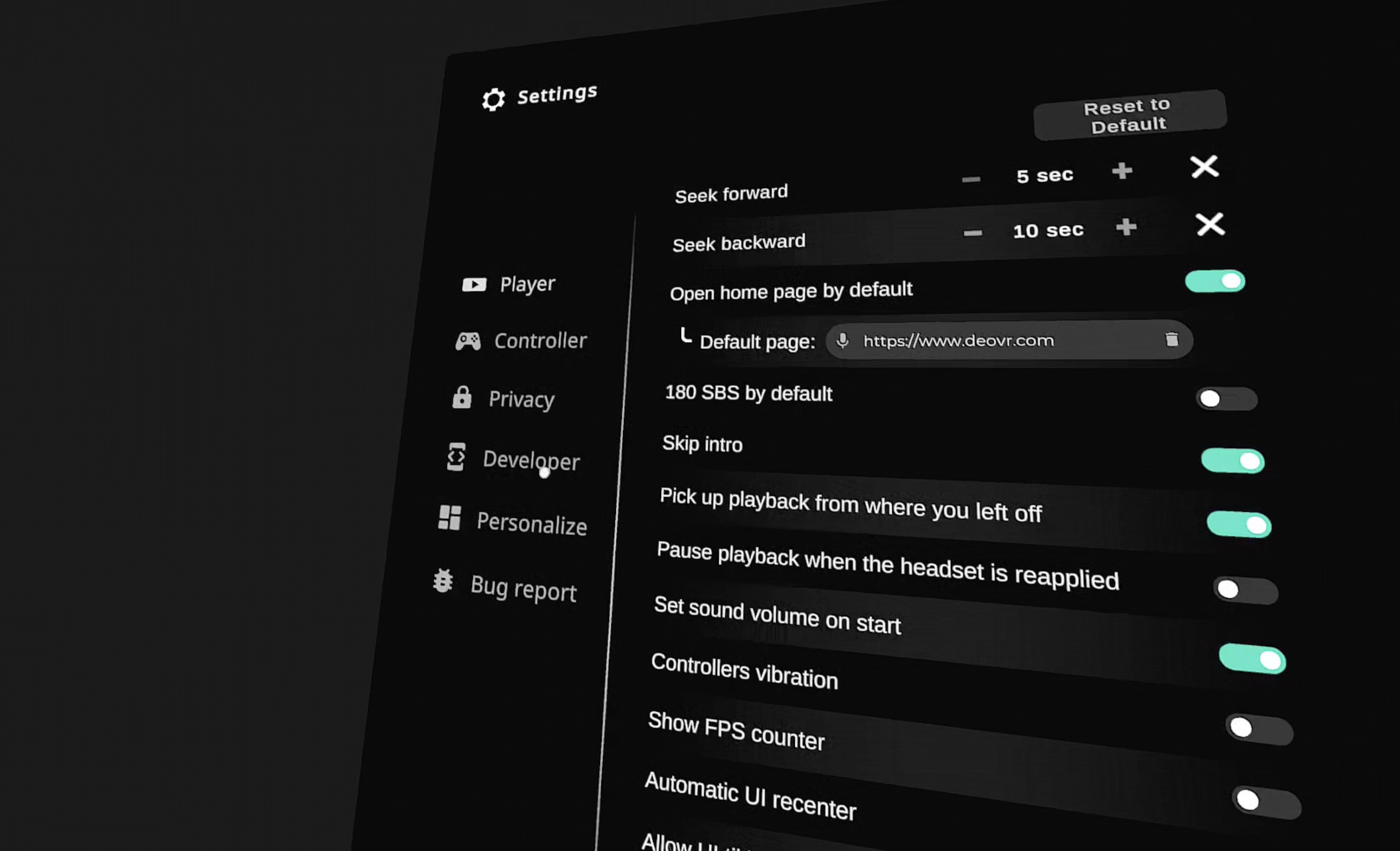
Step 4 — Enable “Lock on DeoVR Channel”
Turn on the toggle labeled:
“Lock on DeoVR Channel”
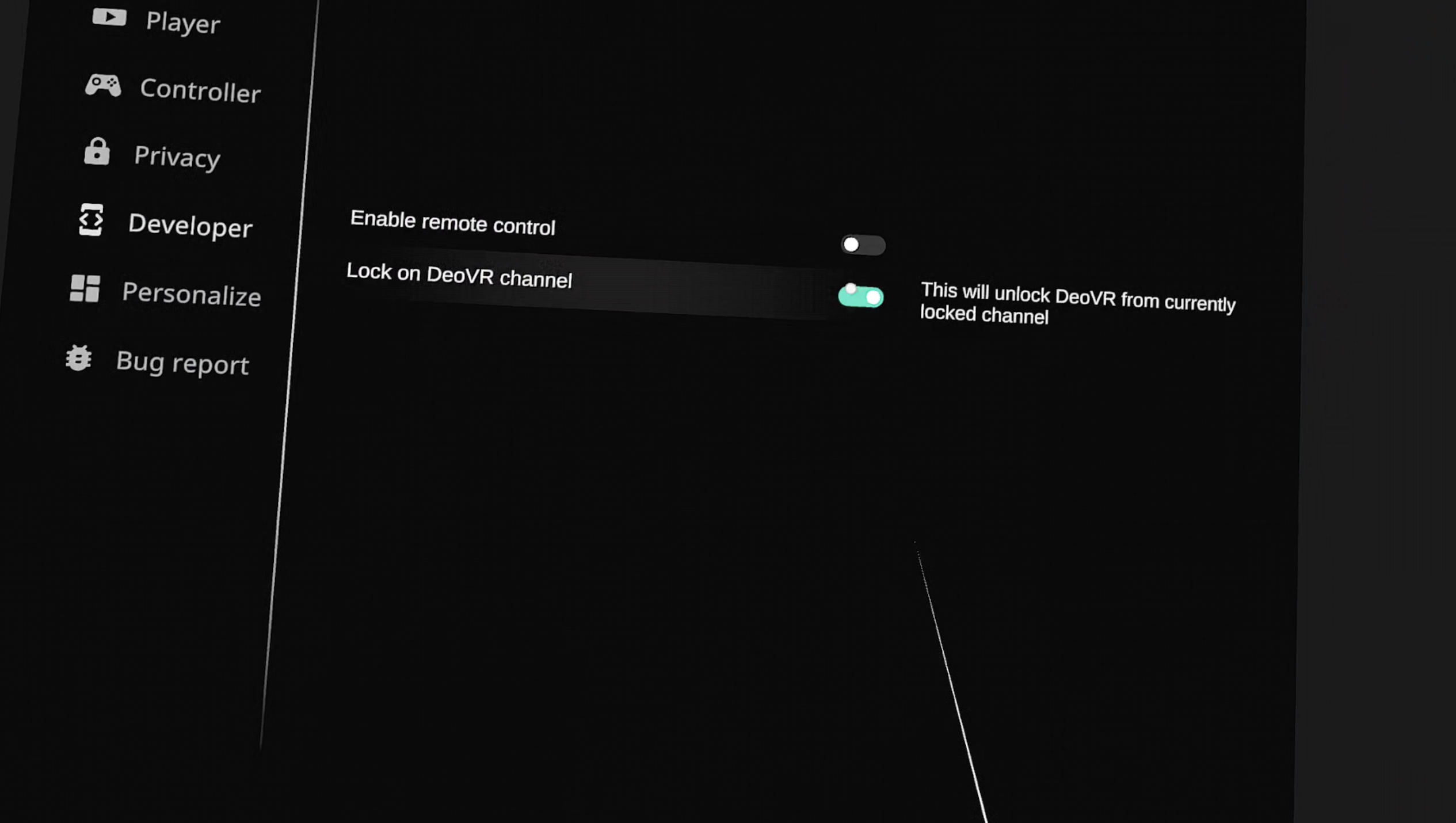
Once activated, DeoVR will stay focused on the currently opened channel.
A Cleaner Way to Showcase Your Content
With channel lock enabled, DeoVR becomes a more streamlined and presentation-friendly experience.
This is especially valuable when:
- showcasing a curated content library,
- presenting immersive projects to audiences,
- creating a distraction-free demo environment,
- or building a dedicated VR experience around your own brand or creative identity.
It’s a simple feature — but a powerful tool for creators and partners who want more control over how their immersive content is experienced.
Flexible Immersive Distribution on DeoVR
DeoVR is designed to support many different ways of experiencing immersive media.
You can explore thousands of creators across the platform — or create a focused environment entirely centered around your own content.
“Lock on DeoVR Channel” helps make both experiences possible.
See you in DeoVR. Let’s dive in.